 Space Focus
Deep work
Deep Work Timer: Protect One Hard Task a Day
Deep work is the kind of effort that produces your best output — writing, designing, coding, thinking a problem through. It is also the first thing a busy day squeezes out. A timer does not create deep work, but it can protect the block where it happens.
One block, one task
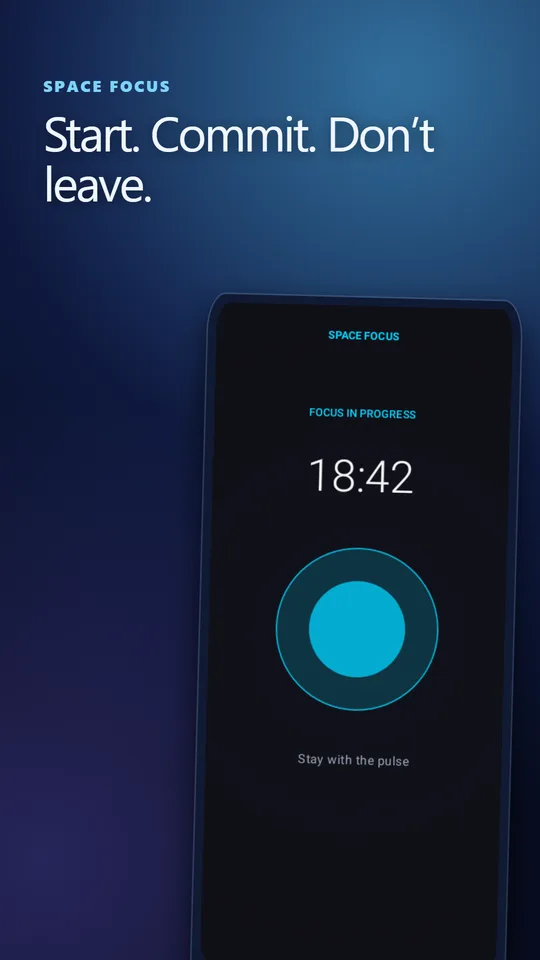
The most reliable deep work habit is also the smallest: one protected block per day for the single most important task. Not a schedule of six blocks you will abandon by Wednesday. One block, at the same time, for something that actually moves your work forward.
Pick the length before you start: 50 minutes is a strong default, 90 minutes if you are rested and the task needs a long warm-up. Space Focus lets you choose 25, 50, 90 minutes or a custom length.
Prepare the task before the timer starts
Most deep work sessions fail in the first five minutes, not the last. The timer starts and you realise you do not know exactly what you are doing. Before tapping start, write one sentence:
- "Draft sections 2 and 3 of the proposal" — not "work on proposal".
- "Reproduce the crash and find which call returns null" — not "fix bug".
- "Read chapter 4 and write five questions" — not "study".
Open everything you need — document, files, reference tabs — then start the timer. Anything you have to go looking for mid-session is an invitation to drift.
Make leaving expensive
The biggest threat to deep work is not a loud office; it is the phone in your hand offering a two-second escape every time the task gets hard. Hard Mode in Space Focus makes that escape visible: switch away and a five-second countdown starts. Come back and the session continues; stay away and it fails. With Do Not Disturb access granted, it can also silence notifications for the block.
This works because it adds friction at exactly the moment of weakness, without blocking your phone entirely. You can still leave — you just have to decide to.
A deep work block, step by step
- Choose the task and write the one-sentence goal.
- Close chat and email on your computer; put the phone face down.
- Start the session from the widget, the Quick Settings tile or an app shortcut.
- When you get stuck, stay with the problem for two more minutes before doing anything else. Most of the value of deep work sits just past that point.
- At the end, write one line: where you stopped and what comes next.
Protect the time, not the output. Some days a 90-minute block produces one good paragraph. That still counts. Judging each session by output makes you skip the block on hard days, which is when it matters most.
Where to put the block
For most people the best block is the first 1–3 hours of the working day, before messages build up. If mornings are taken by meetings or school runs, pick the first reliably quiet slot and keep it at the same time every day — consistency matters more than the exact hour.
Measure consistency, not heroics
Four days a week with one completed 50-minute block beats one heroic day of five hours. Space Focus tracks weekly consistency, completion rate and average session length on your device, with no account. Check them once a week using the weekly focus review.
Frequently asked questions
How long should a deep work session be?
Fifty minutes is a strong default. Use 90 minutes when you are rested and the task needs a long warm-up; drop to 25 on fragmented days rather than skipping the block.
Do I need to block every app to do deep work?
No. Adding friction to leaving usually works better than a total block. Hard Mode gives you five seconds to return before the session fails, which interrupts the reflex without locking you out of your phone.
How many deep work hours a day are realistic?
For most people, one to three hours of genuinely focused work is a strong day. Start with one protected block and add a second only once the first is consistent.
Sources and further reading
How this article was created
This article was drafted with the help of artificial intelligence and edited against the app's published feature list. The independent developer is responsible for publication and accepts correction reports. Verify health, safety, legal, financial and official requirements with a primary source or qualified professional.
Questions and corrections: brightwaveapp@gmail.com. Legal and privacy information.