 Space Focus
Pomodoro on Android
Pomodoro Timer for Android: A Practical Setup
The Pomodoro Technique is simple on paper — work for 25 minutes, rest for 5 — but on a phone the hard part is not the timer. It is starting quickly, not drifting into another app halfway through, and knowing when 25 minutes is the wrong length for the task in front of you.
What the Pomodoro Technique actually asks of you
Francesco Cirillo's original method has five moving parts: pick one task, set a timer (traditionally 25 minutes), work until it rings, take a short break of about 5 minutes, and after four rounds take a longer break of 15–30 minutes. The timer matters less than the rule behind it: one task per round, and an interruption means the round does not count.
That rule is where most phone-based Pomodoro attempts fall apart. A timer app that keeps running while you answer a message in another app quietly rewards exactly the behaviour the technique is trying to remove.
Set it up on Android in under a minute
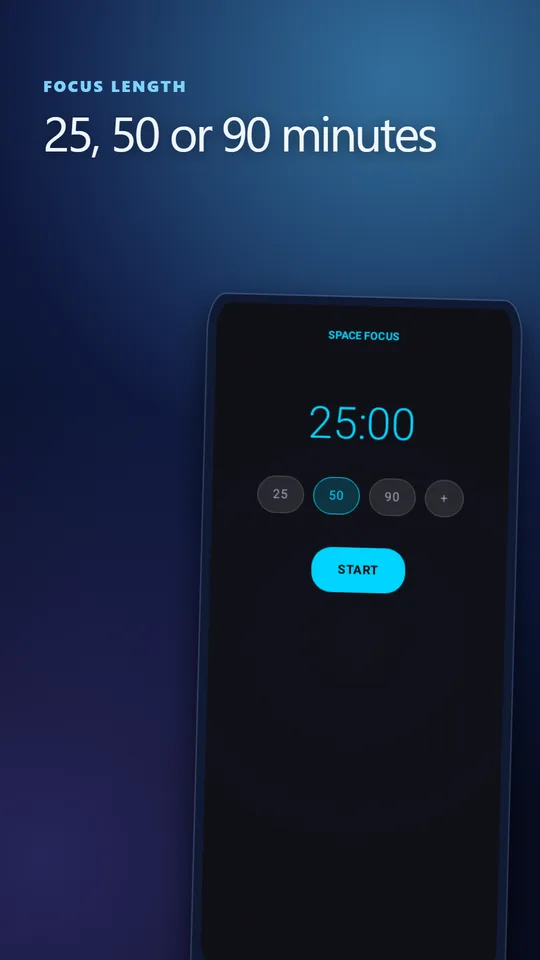
- Put the start button where your thumb already is. Space Focus has a home-screen widget with 15, 25 and 50 minute buttons, a Focus 25m Quick Settings tile, and long-press shortcuts on the app icon for 25 minutes, 50 minutes or a custom length. Pick one of these and use it every time — the fewer taps between intent and timer, the more rounds you actually start.
- Decide how strict you want to be. With Hard Mode on, leaving the app starts a five-second countdown; if you do not come back, the round fails. That is the Pomodoro "a broken round does not count" rule, enforced for you.
- Silence notifications for the round. If you grant Do Not Disturb access, Hard Mode can mute notifications while the timer runs, so the phone stops competing with the task.
- Let the screen lock. You do not need to keep the display on. Active sessions are restored from their saved deadline, so locking the phone or a process restart does not lose the round.
When 25 minutes is the wrong length
Twenty-five minutes is a good default for tasks you are avoiding, admin work, and days when your attention is fragmented. It is often too short for work with a long warm-up: debugging, writing a first draft, or reading dense material, where the first ten minutes go on rebuilding context.
| Task | Starting length | Why |
|---|---|---|
| Email, admin, tidying a backlog | 15–25 min | Short tasks; the timer mainly prevents drifting. |
| Studying, problem sets | 25–50 min | Long enough to finish a problem, short enough to stay sharp. |
| Writing, coding, design | 50 or 90 min | Warm-up cost is high; frequent breaks throw away context. |
If you keep hitting the bell mid-thought, move up a step. If you keep failing rounds in the last ten minutes, move down one. We cover this in more depth in how long a focus session should be.
Breaks that actually reset you
The five-minute break is part of the method, not a reward for finishing. The most common mistake is spending it on the same phone that the round was protecting — a quick feed check easily turns five minutes into fifteen, and the next round starts with half your attention still in the feed.
- Stand up and look at something far away for a minute.
- Refill water, stretch, or walk to another room.
- Write one line about where you stopped, so the next round starts faster.
- Save longer breaks (15–30 minutes) for after three or four rounds.
A realistic workday: two 50-minute rounds in the morning for the hardest task, then 25-minute rounds after lunch for lighter work. Three to five completed rounds of real focus is a strong day for most people — more is not automatically better.
Prepare before you press start
Start the timer after the setup, not instead of it. Open the one task you will work on, close the apps and tabs that compete for it, and decide in advance what counts as a finished round. Reusing the same length for the same kind of work also turns the timer into a cue: this is the block for writing, that one is for study.
Check that it is working
After a week, look at completed versus failed rounds rather than total minutes. A high failure rate usually means the length is wrong or the task was not defined before starting. Space Focus shows today's planned and completed time, weekly consistency, completion rate and average session length, all stored on the device with no account. Our weekly review guide shows how to turn those numbers into one change for next week.
Frequently asked questions
Is 25 minutes the only correct Pomodoro length?
No. Twenty-five minutes is the traditional default, but the useful part of the technique is the single-task rule and the regular break. Many people use 50-minute rounds for deep work and keep 25 minutes for low-energy or admin tasks.
Can I use a Pomodoro timer with the screen off?
Yes. In Space Focus the session keeps its saved deadline, so you can lock the phone and the round continues; it is restored even if Android restarts the app process.
What happens if I switch apps during a round?
With Hard Mode on, leaving the app starts a five-second countdown. Return before it ends and the round continues; stay away and the round is marked as failed, which is exactly how the original technique treats an interrupted round.
Sources and further reading
How this article was created
This article was drafted with the help of artificial intelligence and edited against the app's published feature list. The independent developer is responsible for publication and accepts correction reports. Verify health, safety, legal, financial and official requirements with a primary source or qualified professional.
Questions and corrections: brightwaveapp@gmail.com. Legal and privacy information.